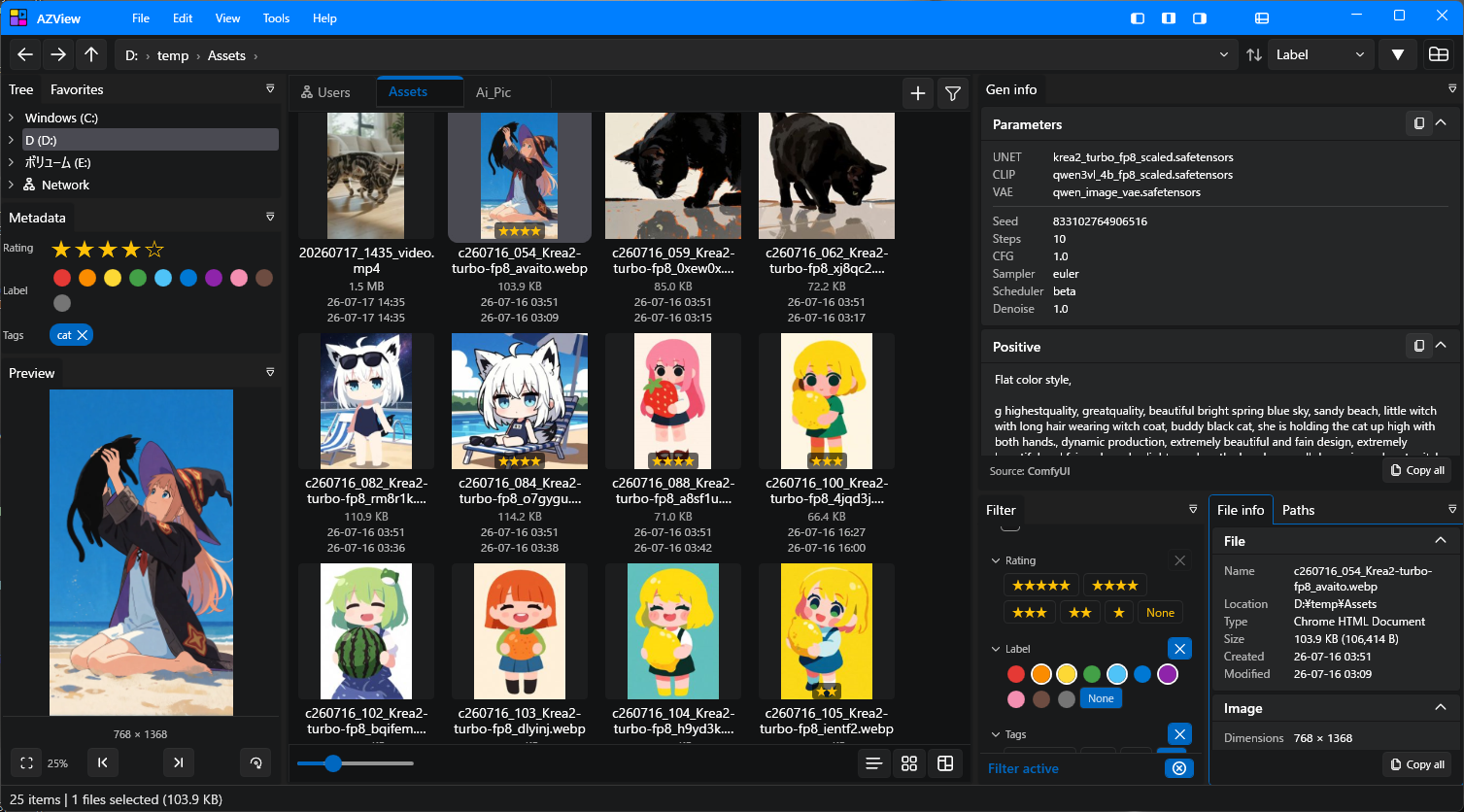
A Windows-native media browser and viewer built for reviewing big collections — including AI-generated images and video from ComfyUI. Play videos with a real player, and organize everything with ratings, labels and tags stored outside your files.
Windows 10 / 11 (64-bit) · No .NET runtime to install · Installer or portable
Images and videos right in the viewport — and the videos play.
Fast native browsing with a docking UI, built for folders with thousands of files.
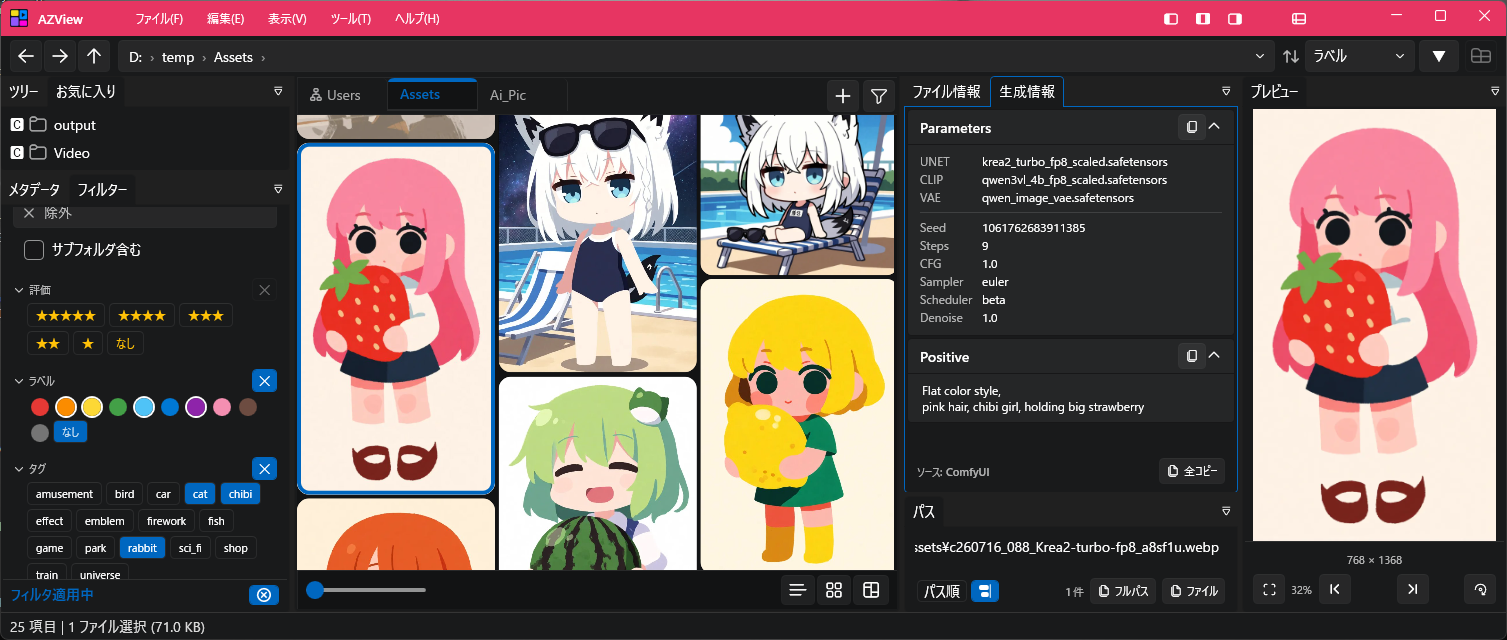
A detailed List, a thumbnail Grid, and the Tumblr / Pinterest style Brick view.
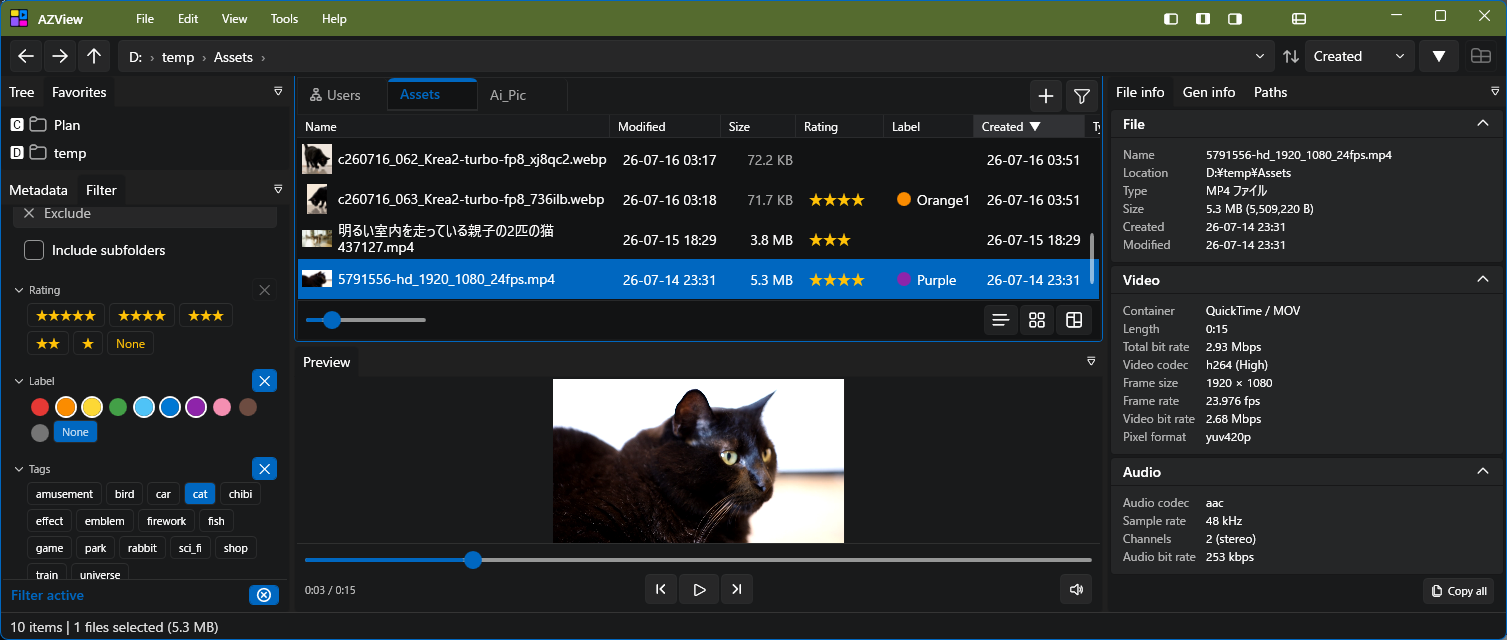
Images, video and audio — with fullscreen playback and frame-accurate seeking.
Wide coverage using Magick.NET and FFmpeg, so even unusual formats get a preview.
5-star ratings, 10 color labels and free-text tags — all stored in a local database, never in your files.
View and copy the prompt and parameters embedded in AI-generated files, plus file, EXIF and video details.
Arrange panels freely and save your favorite layouts. English / Japanese UI with dark theme variations.
AZView never writes to your media files. Ratings, labels and tags live only in a local database, so the generation metadata embedded in your PNG, WebP, MP4 and WebM files stays exactly as it was.
Images decode through Magick.NET, video and audio play through LibVLC, code gets real syntax highlighting, and Markdown and PDF render inline — so the awkward formats still show up.
Animated GIFs play in place. PSD shows its merged composite, SVG is rasterised as vector, and RAW files open through the Windows codec for speed.
Played by LibVLC, H.264 and H.265 included. Frame-accurate seeking, several videos looping at once, and fullscreen playback.
Plays in the same viewer as video, with embedded album art and the same transport controls.
Real selectable text with syntax highlighting and line numbers — not a screenshot. The encoding is detected automatically: UTF-8, UTF-16 and Shift-JIS.
Project and build files too — .csproj, .sln, .gradle, .cmake and .dockerfile — plus .diff and .patch.
Markdown is rendered, not shown as source — headings, tables, code blocks and relative images. PDF and Illustrator files open in a built-in viewer with pages, zoom and Ctrl+F search.
A ready-to-run build — nothing to compile. The first public build is being prepared.
Installs in seconds with no admin rights, and updates itself automatically from then on.
Get it on GitHubPrefer not to install? Unzip to any folder you can write to and run it. Auto-update works here too.
Releases
Requirements: Windows 10 / 11 (64-bit). No separate .NET runtime needed.
FFmpeg is recommended for video thumbnails of .webm / .mkv / .mov / .mp4 (H.265).
Actively in development. Everything shipping today stays free.
AZView is free for individuals, including commercial work (freelancing, content creation, and similar).
Use for the business of a company or organization will require a paid Business license in the future; until then, organizational use is free as well. Everything shipped today stays free.
Closed source. Provided as-is, without warranty. Built on libVLC, Magick.NET, WPF-UI, AvalonDock and other open-source libraries, each under its own license.